
AI try-on
Virtual try-on for clothes, on your own figure
With Closie’s virtual try-on, you see clothes on an avatar created from your own photo instead of on a model. Try on outfits from your wardrobe before you get dressed, or check an item you photographed in a shop before you buy it.
- Avatar made from your photo
- Outfits from your own wardrobe
- Try before you buy with Smart Buy
- 3 free try-ons every month
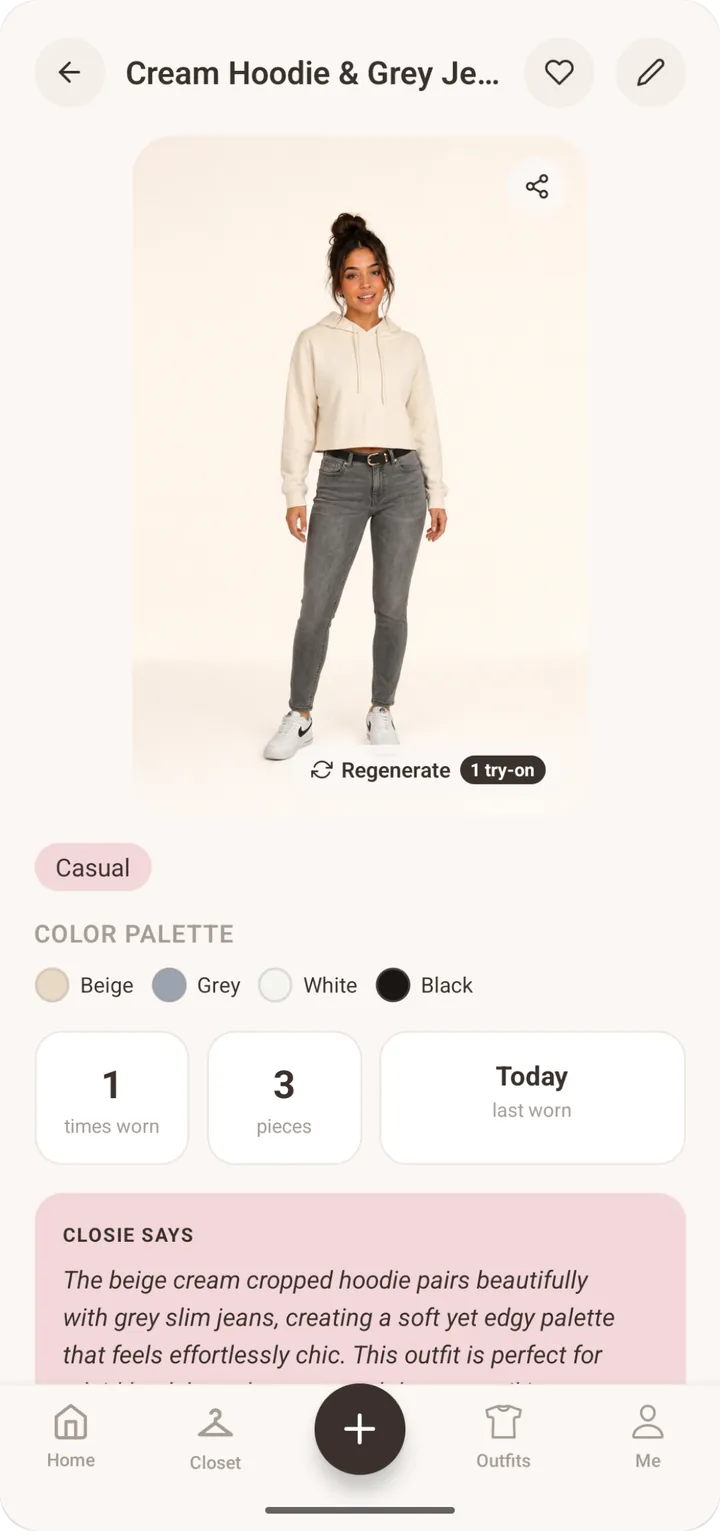
How virtual try-on of clothes works in Closie
You start by creating an avatar from a photo of yourself. From then on, when you build or receive an outfit, you can ask Closie to show it on that avatar. Instead of imagining how a skirt, a knit and a coat work together on your figure, you see a preview of the full look. It’s a quick way to compare two versions of an outfit, check proportions (cropped or long, loose or fitted) and decide before you start changing clothes three times in front of the mirror.
Try on clothes on your own photo, not on a model
Shop photos show clothes on professional models in perfect lighting. That tells you little about how the same piece will look on you. A virtual fitting room app built around your own avatar makes the preview personal: your figure, your proportions, your colouring. In Closie the try-on is also connected to your wardrobe, so you also see whether the piece works with what you actually own. That second question is the one that decides whether something gets worn.
- Your avatar, created from your own photo
- Full outfits rather than single items
- Compare variations side by side in your head, not in the changing room
- Works with every item in your digital wardrobe
Try an item before you buy it
See a jacket in a shop and not sure? Photograph it with Smart Buy. Closie compares it with your wardrobe. It flags duplicates, shows what it pairs with and how you could wear it, and gives a verdict: buy or skip. Because the item is now in Closie, you can also see it in an outfit on your avatar. You can save the item for later and mark it as “bought” or “skipped”, so your decisions stay in one place instead of in a camera roll full of screenshots.
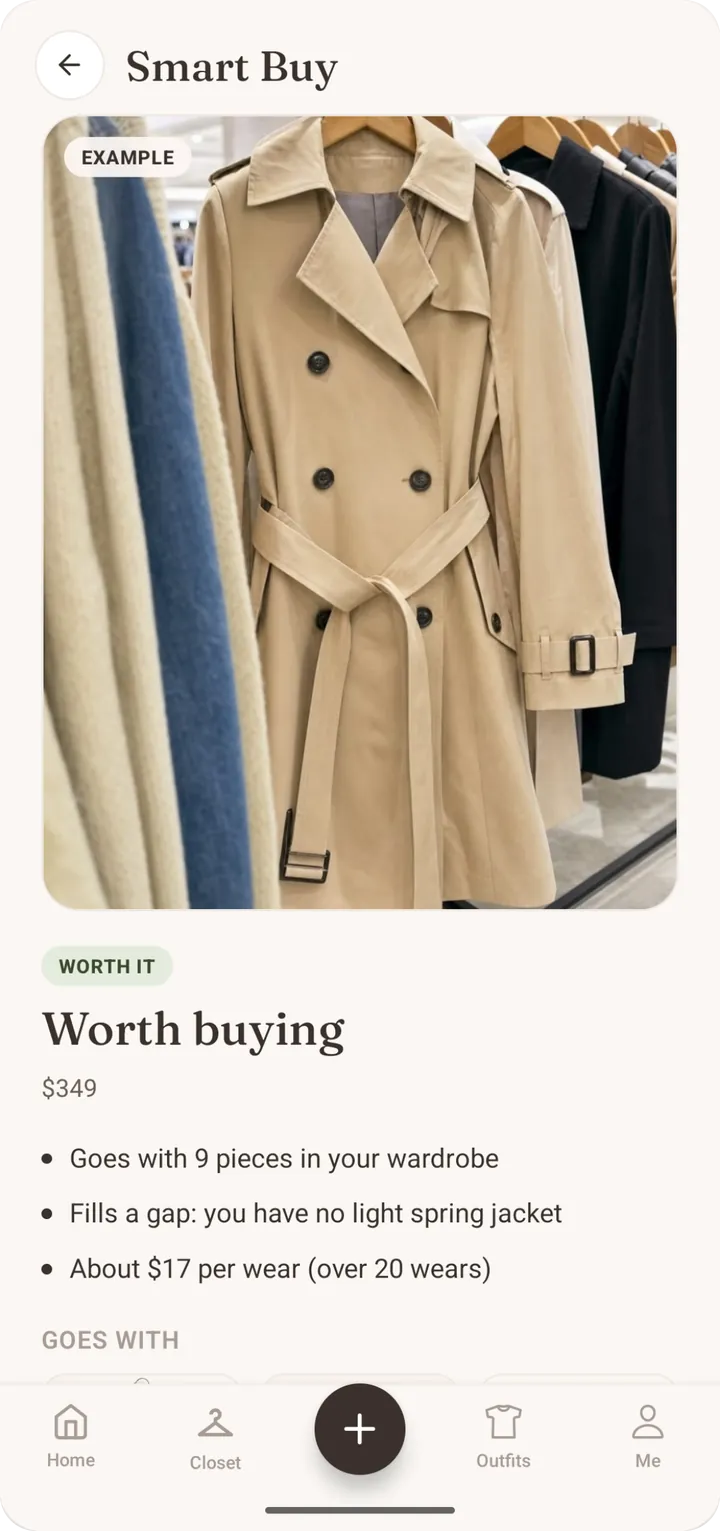
What virtual try-on can and can’t tell you
We’d rather be clear about this. AI try-on is a visual preview: it’s very good for judging colour combinations, proportions and the overall look of an outfit. It is not a precise sizing tool, and it can’t guarantee how a specific size will fit or how a fabric will drape on you. Closie also isn’t a plug-in for online shops. It shows outfits from your wardrobe and items you photograph yourself. For fit, the label and a real fitting room still win; for “does this work together?”, the preview saves a lot of time.
Is there a free virtual try-on clothes app?
Closie’s free plan includes 3 AI try-ons every month, plus a digital wardrobe for up to 100 items and unlimited outfit planning. No card is needed to start. If you want to preview most of your outfits, Closie Plus includes 30 try-ons a month, and one-off try-on packs (+10 or +30) are available even without a subscription. The photo you use for your avatar is stored on EU servers, isn’t sold to advertisers and can be deleted at any time.
Try on your first outfit in four steps
- 1
Create your avatar
Add a photo of yourself. Closie uses it to create the avatar your outfits are shown on.
- 2
Add some clothes
Photograph a few tops, bottoms and shoes. Closie names and tags them automatically.
- 3
Build or pick an outfit
Combine pieces yourself or take Closie’s suggestion for today’s weather and occasion.
- 4
See it on yourself
Run the try-on, compare variations and save the look you like.
Virtual try-on: frequently asked questions
Can I try on clothes on my own photo?
Yes. In Closie you create an avatar from your own photo, and outfits from your digital wardrobe are shown on that avatar. It lets you preview a full look on your figure instead of on a model. Items you photograph while shopping with Smart Buy can be previewed in outfits too.
Is the virtual try-on clothes app free?
Closie is free to download and the free plan includes 3 AI try-ons a month. Closie Plus raises that to 30 a month, and one-off packs of extra try-ons can be bought without a subscription. The free plan also includes a 100-item wardrobe and unlimited outfit planning.
How accurate is AI try-on for size and fit?
AI try-on is a visual preview, best for judging colours, proportions and how pieces work together. It can’t guarantee how a particular size will fit or how a fabric will behave on your body, so for sizing, rely on the size guide and a real fitting.
Can I use Closie’s virtual fitting room for any online shop?
No. Closie isn’t a shop plug-in. The try-on works with clothes in your digital wardrobe and items you photograph yourself, for example in a store using Smart Buy. That keeps the focus on whether something works with the clothes you already own.
What happens to the photo I use for my avatar?
Your photos are stored on EU servers and are not sold to advertisers. They are used to create your avatar and show outfits on it. You can delete them, or your whole account, at any time from within the app.
See the outfit on you before you put it on
Download Closie for free, create your avatar and try on your first outfits. Three try-ons a month are included.
Free on iPhone and Android · No card needed