
How to Create a Digital Wardrobe — Complete Guide
A digital wardrobe is simply a catalogue of your clothes on your phone. It sounds basic, but it changes how you think about getting dressed. Instead of standing in front of your physical wardrobe searching for something that goes together, you open an app and see everything in one place.
What is a digital wardrobe?
A digital wardrobe (also called a virtual closet) is an app that stores photos and descriptions of your clothes. Each item has its own entry: colour, type, season, occasion, how often you wear it. From that data the app can suggest outfits, flag duplicates and tell you what to wear each day.
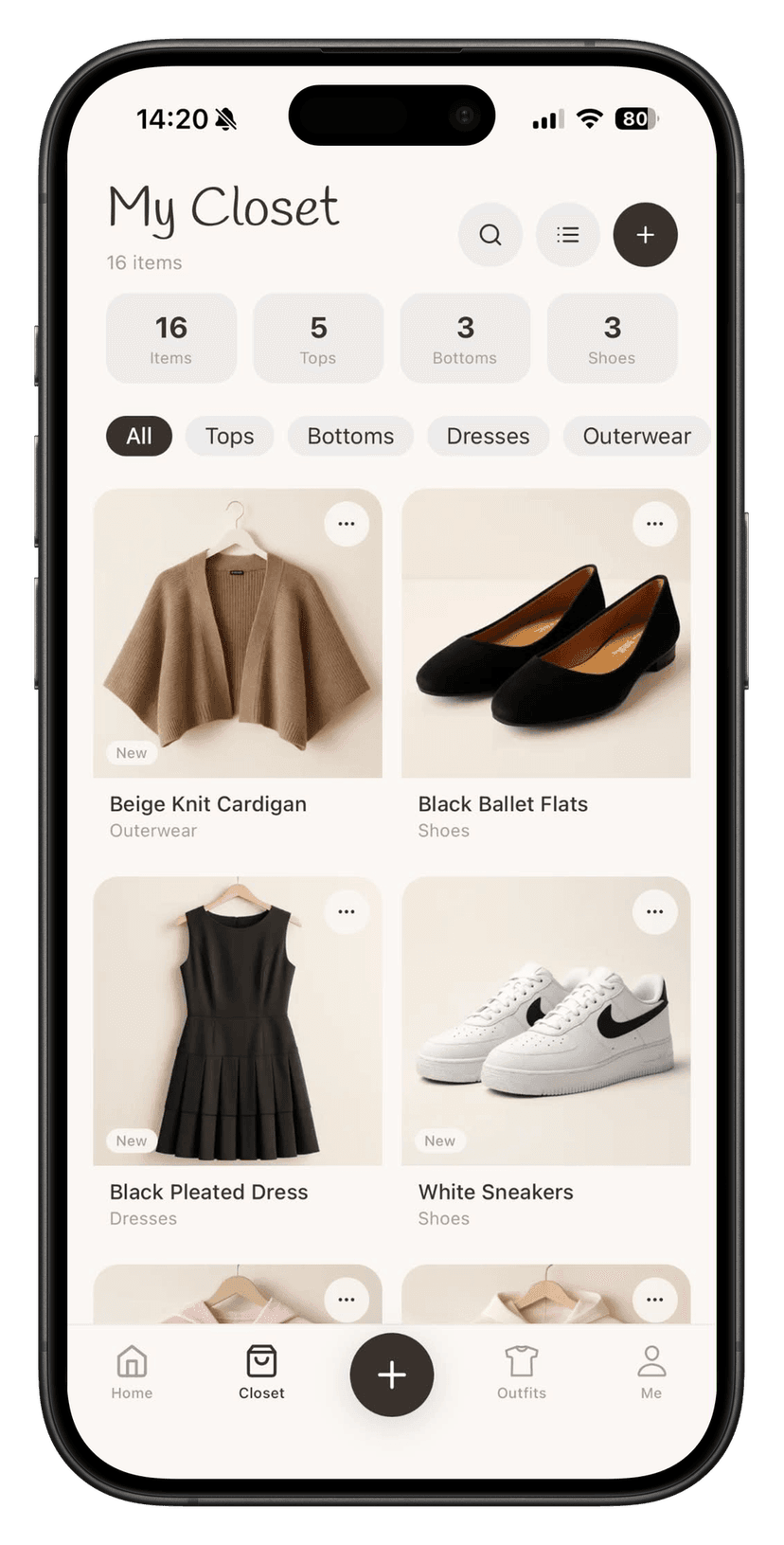
How to create a digital wardrobe — 7 steps
Step 1. Choose an app
There are a few options on the market. Closie is a wardrobe app built from the ground up with a clean, intuitive interface and AI that does the describing for you. Download it free on iOS or Android.
Step 2. Start with one category
Don't try to photograph your entire wardrobe in one evening. Start with tops or dresses — whichever category you wear most often. Quick wins keep you motivated to continue.
Step 3. Photograph in good light
You don't need a photography studio. Lay the item on white bedding near a window or hang it against a light-coloured wall. Good natural light means accurate colours and better AI recognition.
Step 4. Let the AI describe the item
In Closie, you just upload the photo — the app recognises the colour, garment type, category and season automatically. You can correct it if something's off, but most of the time the description is spot-on from the start.
Step 5. Tag season and occasion
These two fields make an enormous difference when searching. "White summer top" or "smart dress for a wedding" only work as search queries if the descriptions are complete. A minute spent now saves minutes every morning.
Step 6. Add shoes and accessories
A wardrobe without shoes is half a wardrobe. Add at least the pairs you wear regularly — the app can then build complete head-to-toe outfits rather than just tops and bottoms.
Step 7. Create your first outfits
In Closie you can build outfits manually or ask the AI for suggestions. Save a few favourites — you'll come back to them on busy mornings when there's no time to think.
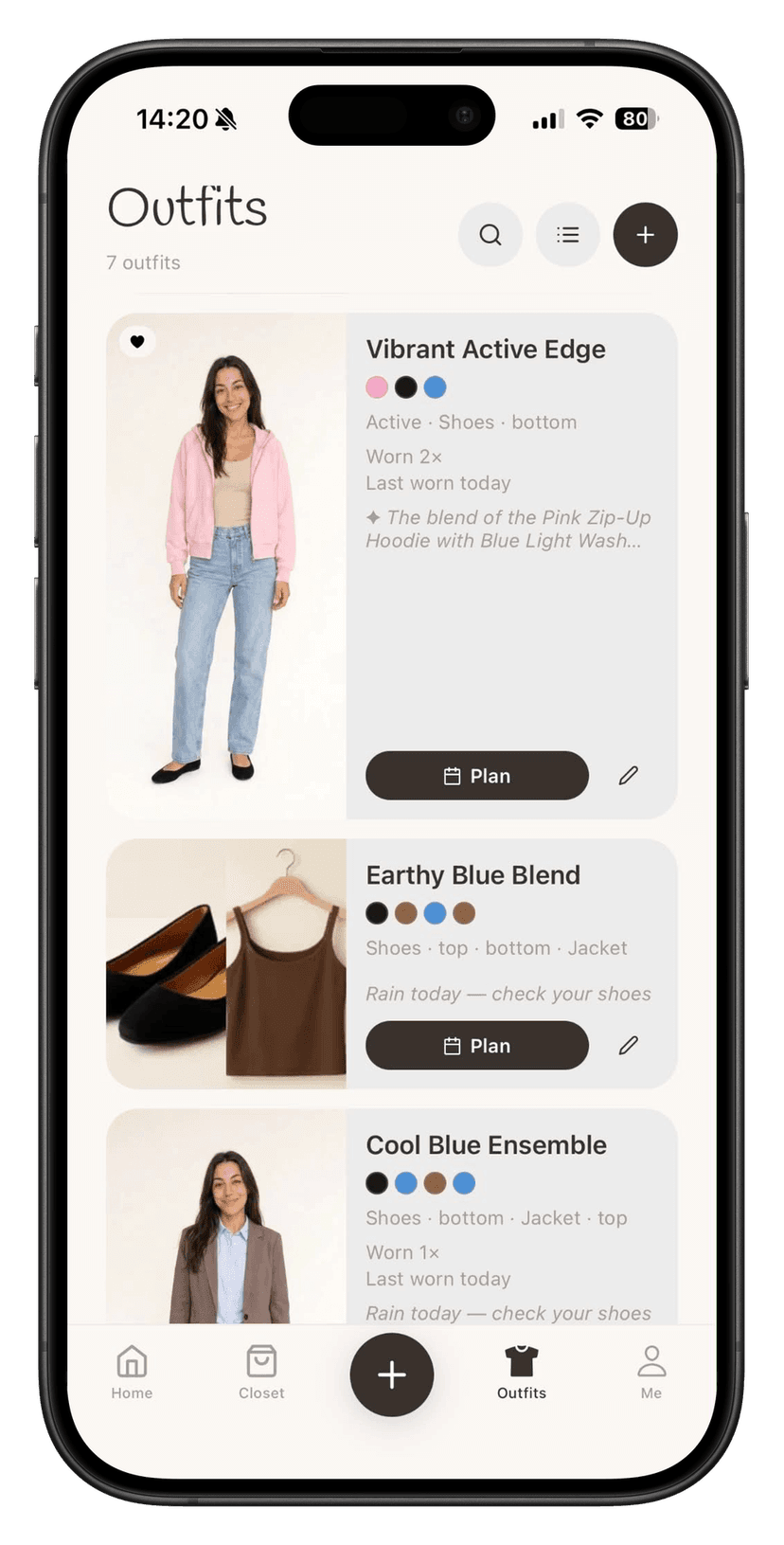
What does a digital wardrobe give you?
- You know what you own — no more buying another similar piece
- You can see what you actually wear versus what just takes up space
- You save time each morning with ready-made outfit suggestions
- You shop consciously — buying only what's genuinely missing
- Closie checks the weather and matches outfits to conditions and occasion
How long does it take to build a digital wardrobe?
A typical wardrobe of 40–80 items takes 2–3 hours spread across a few days. Most people add 5–10 items daily for a week and end up with a complete catalogue. You don't have to do it in one sitting.
Is a digital wardrobe right for me?
If you wonder what to wear every morning, feel like you don't wear half your wardrobe, or keep buying similar things you already own — yes, a digital wardrobe is for you. Closie has a free plan (up to 100 items) so you can try it without any commitment before deciding whether you want more.
Summary
Building a digital wardrobe is a few hours' investment that pays off every single morning. You know what you own, you wear what you own and you buy less — but better. It's not just another organisation tool. It's a new relationship with your wardrobe.
Build your digital wardrobe in Closie